
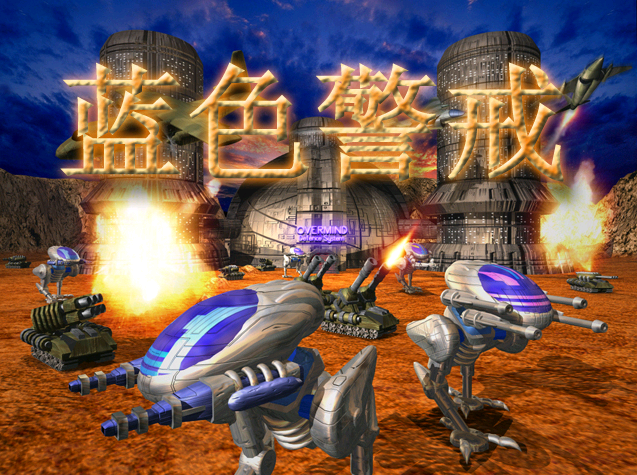
"State of War" (specifically referring to the 2002 real-time strategy game by DreamCatcher Interactive) has significant compatibility issues on Windows 10 (and later). It's a 32-bit game designed for much older operating systems like Windows 98/XP. Here's a breakdown of the situation and potential solutions:
- 32-bit Application: The game is 32-bit. While Win10 can run 32-bit apps, it's not always seamless.
- DirectX 7/8 Dependency: It relies on older DirectX versions that aren't fully supported by modern Win10 drivers and graphics APIs.
- DRM (StarForce): Many versions used the notoriously problematic StarForce copy protection. This often caused installation failures, crashes, and even stability issues on modern systems.
- Resolution & Scaling: Designed for low resolutions (e.g., 800x600). Modern high-DPI displays and scaling can cause graphics corruption or unreadable text.
- Installation Errors: The installer might fail or behave erratically on Win10.
- Performance & Stability: Crashes, freezes, graphical glitches, and poor performance are common.
How to Try to Run It on Win10 (Solutions)
Success is not guaranteed, but these steps can improve your chances:
-
Run as Administrator:
- Right-click the game's executable (
.exe) shortcut or file. - Select "Properties".
- Go to the "Compatibility" tab.
- Check "Run this program as an administrator".
- Also, try setting compatibility mode to "Windows XP (Service Pack 3)".
- Right-click the game's executable (
-
Disable Fullscreen Optimizations:
In the same "Compatibility" tab (Properties), check "Disable fullscreen optimizations".
-
Set High DPI Scaling Override:
- In the "Compatibility" tab, click "Change high DPI settings".
- Check "Override high DPI scaling behavior".
- Select "Application" from the dropdown.
- Click OK.
-
Use Compatibility Mode:

As mentioned in step 1, set compatibility mode to "Windows XP (Service Pack 3)".
-
Disable StarForce (If Applicable):
- Search online for "StarForce removal tool" for your specific version of the game. Caution: Only download reputable tools. Disabling StarForce might be necessary for installation or running.
-
Install DirectX 9 End-User Runtime Redistributable:

Download and install the latest DirectX End-User Runtime Web Installer from Microsoft. This helps ensure older DirectX components are present.
-
Use a Virtual Machine (VM):
- Most Reliable Method: Install a virtualization program like VirtualBox (free) or VMware Workstation Player (free for personal use).
- Create a Windows XP (or Windows 98) virtual machine.
- Install the game inside the VM.
- This isolates the game from the modern OS and drivers, offering the best chance of running it correctly. You'll need a Windows XP/98 license and installation media.
-
Check Fan-Made Patches/Mods:
Search gaming forums (like GOG, Steam Community, or sites like The Patches Scrolls) for any unofficial patches or mods specifically designed to improve compatibility for modern systems or fix StarForce issues.
Important Considerations
- No Official Support: The developer and publisher long ago abandoned this game. There will be no official updates or fixes for Win10.
- Performance Expectations: Don't expect smooth 60 FPS. Performance will likely be lower than on original hardware.
- StarForce Hassles: If your version has StarForce, it's often the biggest hurdle. Removal might be essential.
- VM is Best Bet: For a hassle-free experience, the Virtual Machine approach is strongly recommended if you're serious about playing it.
In summary: While "State of War" can sometimes be coaxed into running on Windows 10 using compatibility settings, it's often problematic. The Virtual Machine (XP/98) approach is the most reliable way to experience the game as intended. Be prepared for potential issues and consider if the nostalgia is worth the effort!

